
37 lines
2.0 KiB
Markdown
37 lines
2.0 KiB
Markdown
# FULL GUIDE FOR HYPER-V VIRTUAL MACHINE OPTIMIZATION
|
|
|
|
## Step 1 - Optimize Hyper-V VM
|
|
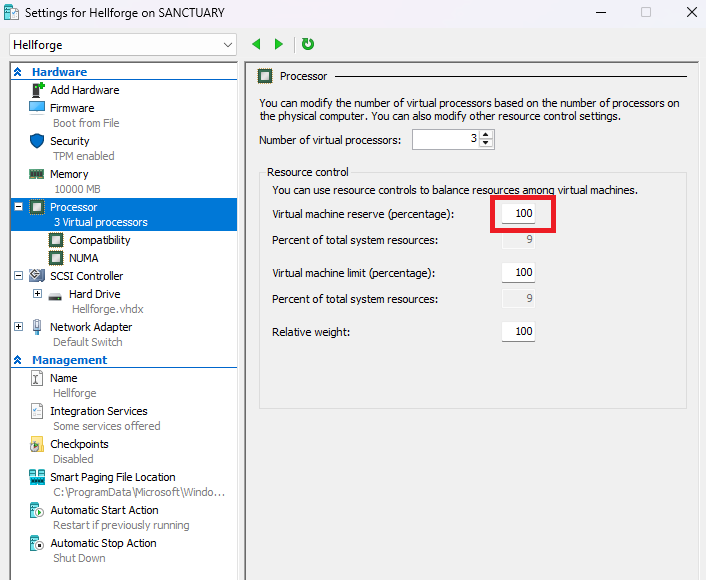
Start by allocating 100% of the allocated processors to the VM in hyper-v manager
|
|
|
|
|
|
|
|
|
|
## Step 2 - Host Processor minimum state
|
|
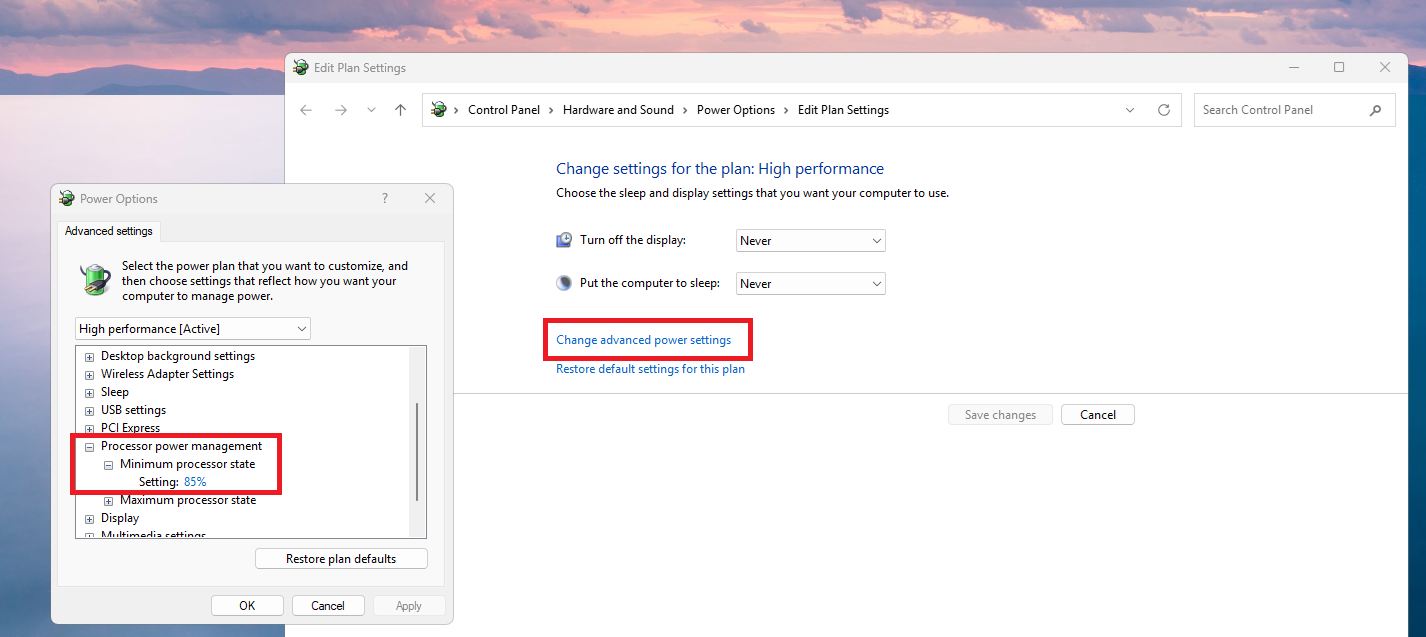
In the power options of the Hyper-V host power plan, set the minimum processor state to 100% (or whatever you deem sufficient)
|
|
|
|
|
|
|
|
## Step 3 - VM Processor minimum state
|
|
In the power plan options of each virtual machine, set the minimum processor state to 100%
|
|
|
|
## Step 4 - Mods
|
|
Use a mod like tinymod (https://github.com/D2R-Gimli/TinyMod) to reduce graphic requirements (only works with non-ROTW)
|
|
For mods to work, add these game arguments to each bot : `-mod tiny`
|
|
If using tinymod, your arguments should be like : `-mod tiny`
|
|
|
|
## Step 5 - MAC address
|
|
|
|
Generate a mac address here : https://dnschecker.org/mac-address-generator.php (or whatever you want to use)
|
|
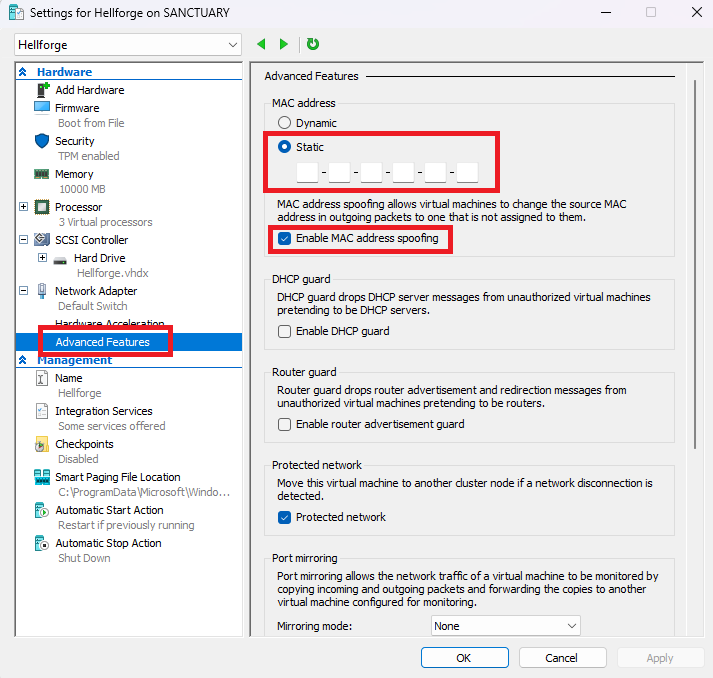
In Hyper-V manager, when the virtual machine is off, in the "Advanced Features" option of "Network adapter" settings, set the MAC address to "static" and check "enable MAC address spoofing".
|
|
Set the MAC address to the value you generated.
|
|
|
|
|
|
|
|
## Step 6 - Remove windows bloatware
|
|
Use this tool : https://github.com/ChrisTitusTech/winutil to remove a lot of unwanted bloatware from Windows 10/11
|
|
|
|
## Step 7 - Process affinity
|
|
Open the task manager on the host. Go to "Details", search for "vmwp.exe". There will be as many of these processes running as you have virtual machines running. Set their priority to "Realtime".
|
|
|
|
## Step 8 - Game graphics options
|
|
Don't forget to reduce all your in game graphics to the bare minimum, setting the framerate cap to like 20 or 30 is a huge difference. |